
Download Phantom Ops – shooter, action game, multiplayer, tactical, immersive, 3D graphics, fast-paced, competitive
Overview
Phantom Ops is a mobile action shooter designed to deliver an immersive and adrenaline-fueled experience for both seasoned players and newcomers to the genre. Built for mobile platforms, the game emphasizes strategic gameplay, fast-paced combat, and dynamic multiplayer interactions. Its core purpose lies in providing a competitive yet accessible arena where players can test their reflexes, decision-making, and teamwork. The app addresses the growing demand for high-quality mobile shooters that go beyond casual mechanics, offering depth through varied game modes and environment design.
Target users include mobile gamers seeking intense multiplayer experiences, tactical enthusiasts who enjoy planning and coordination, and players who value visual fidelity in mobile gaming. The developer, Aegis Studios, appears to focus on delivering polished, performance-conscious titles tailored for modern Android devices. Although no further details about the studio’s background were provided, the game’s production quality suggests a dedicated development team. Real-world use cases include casual gaming sessions, competitive matches, and social play with friends or online communities. In the current mobile app ecosystem, Phantom Ops fills a niche for premium action content on Android, positioning itself as a contender in the growing mobile esports and multiplayer shooter space.
Key Features & Functionality
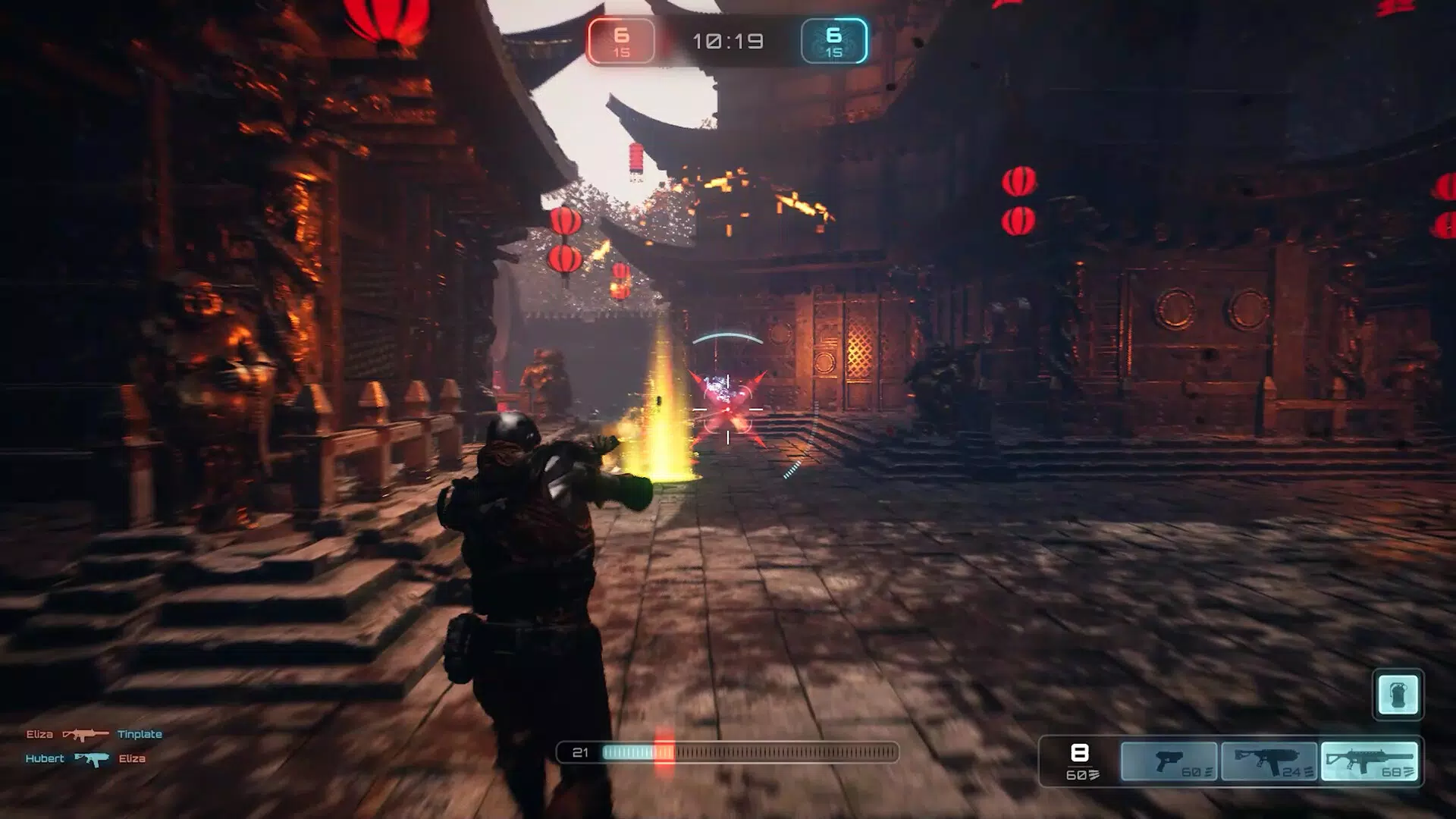
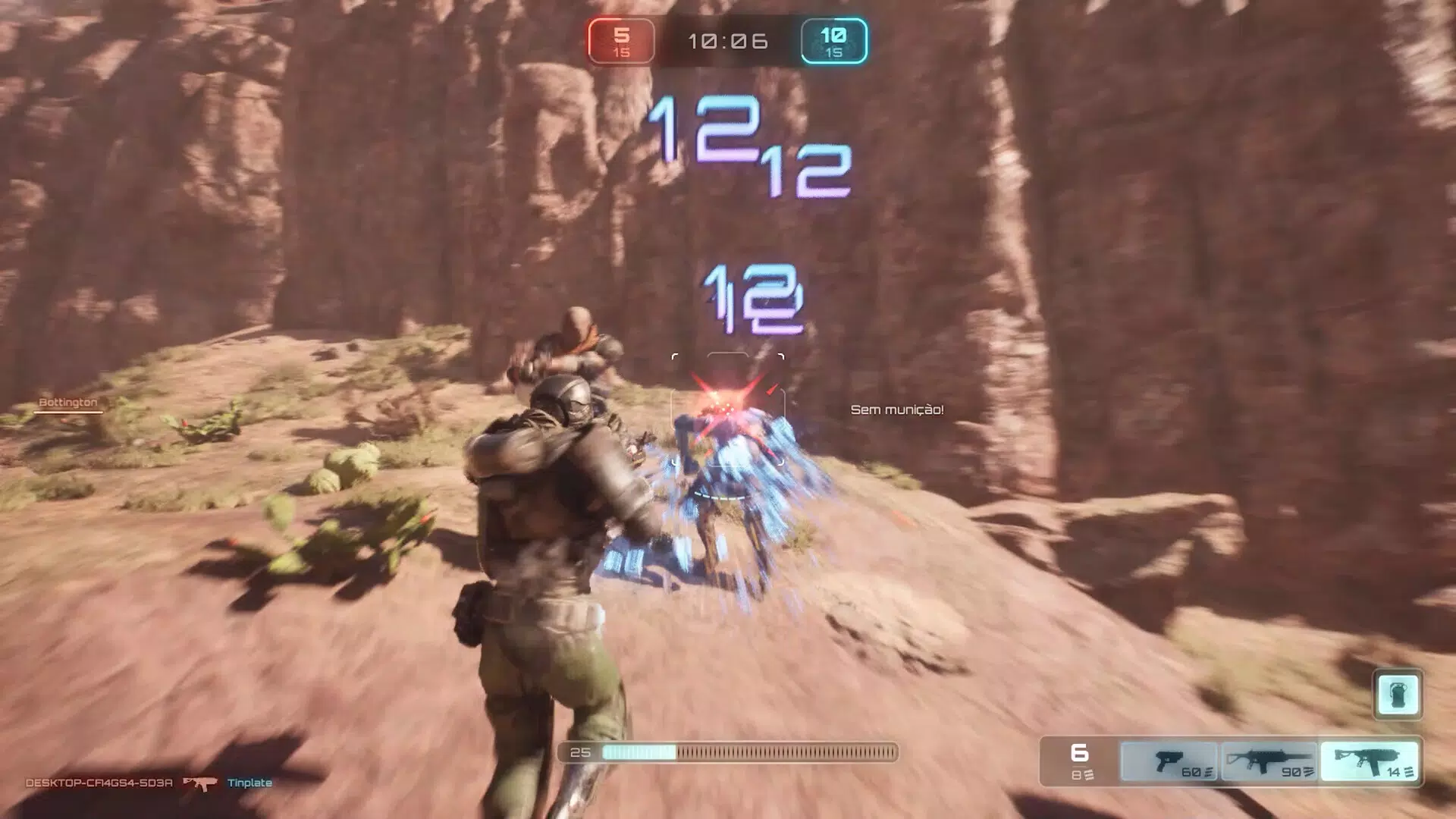
- Stunning 3D Graphics: The game leverages advanced rendering techniques to deliver visually rich environments. Players navigate through detailed urban zones and expansive battlefields with lifelike textures and lighting, enhancing immersion during combat sequences.
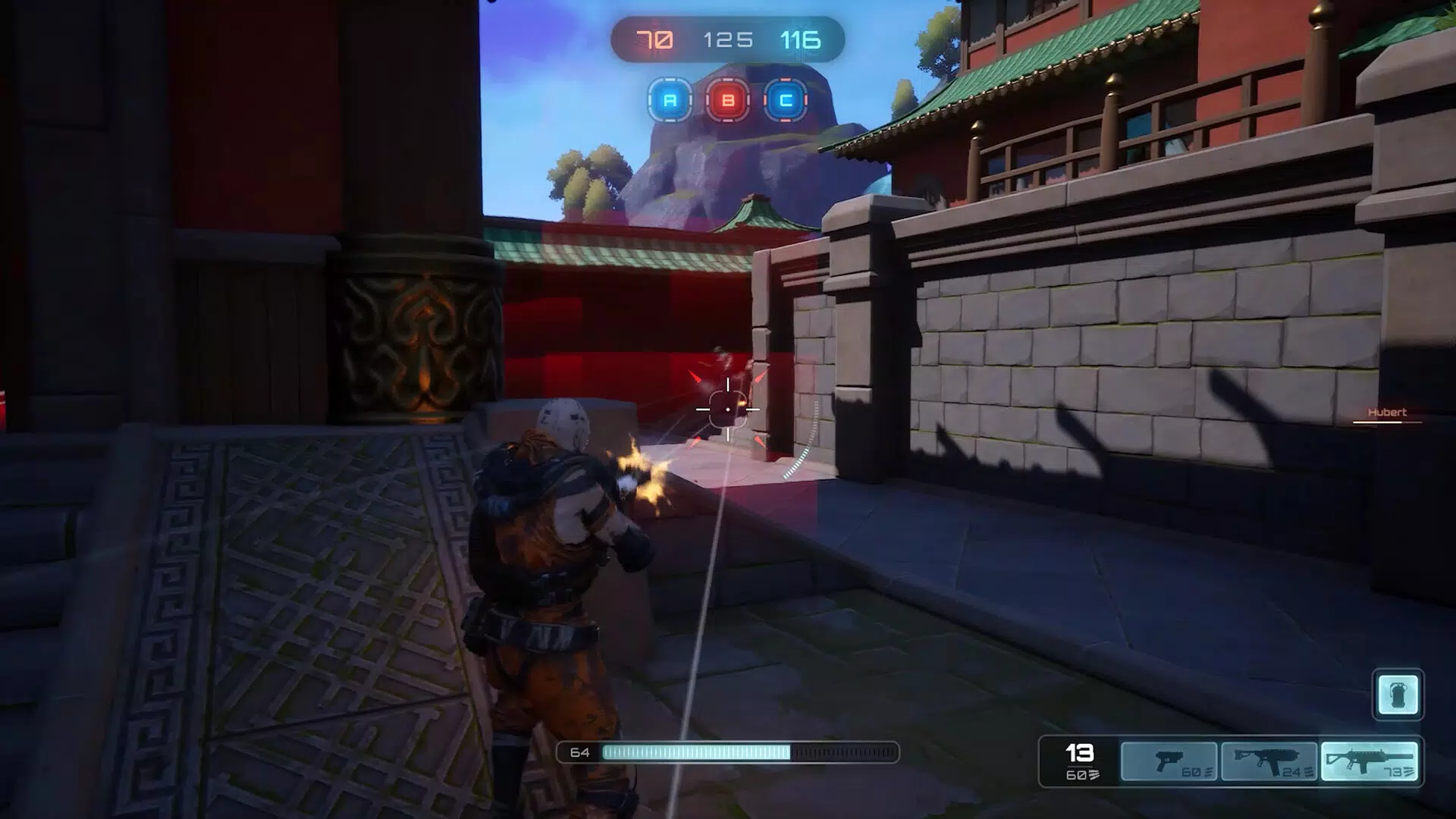
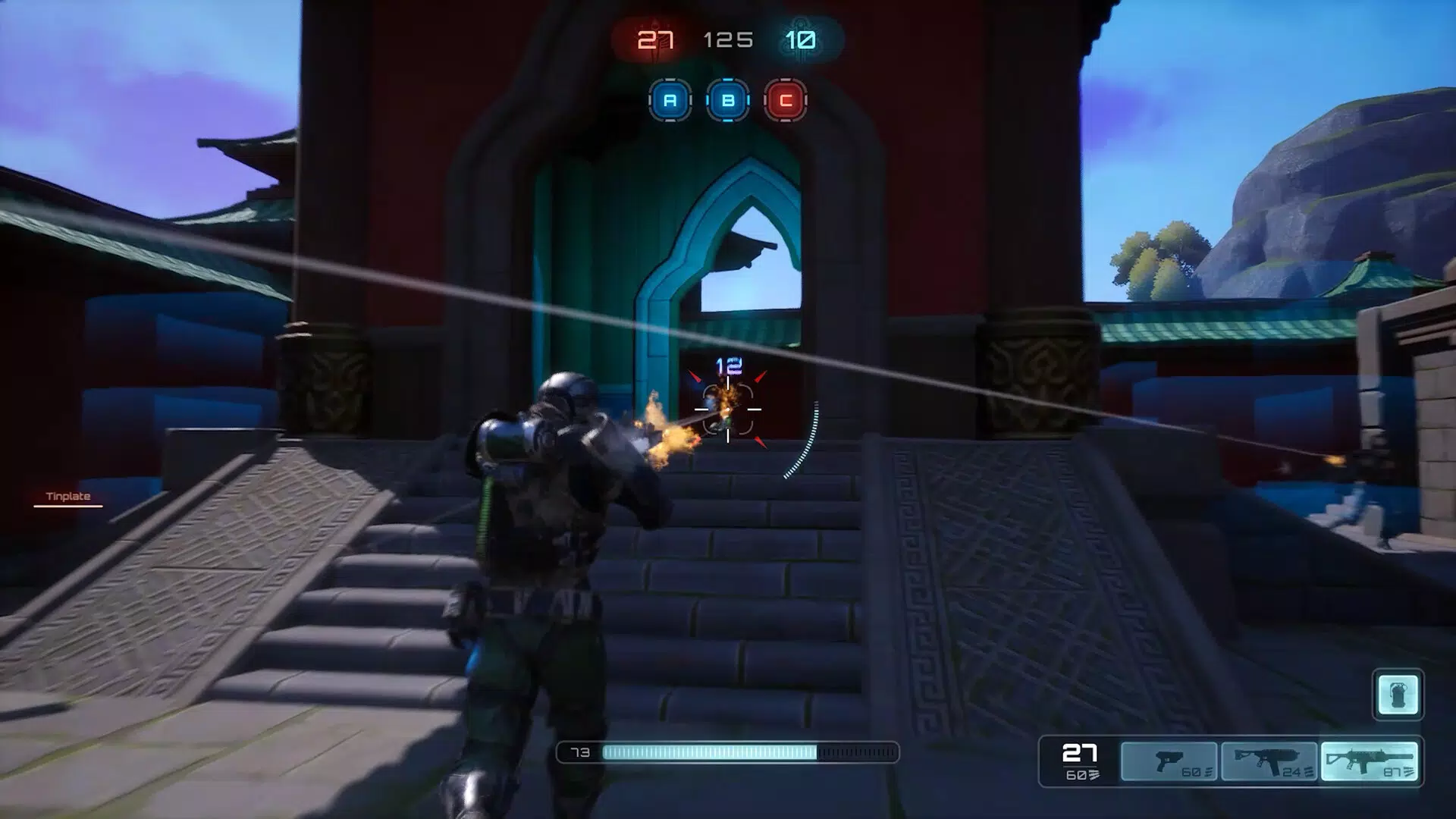
- Dynamic Game Modes: Phantom Ops features two distinct modes—Control Point and Elimination. In Control Point, teams compete to seize and hold strategic locations, encouraging coordination and sustained pressure. Elimination focuses on head-to-head combat, rewarding precision and positioning, offering different pacing and objectives for varied play styles.
- Variety of Maps: Each map is designed with unique layouts, choke points, and environmental features. This diversity ensures that no two matches feel identical, promoting adaptability and long-term replayability. Maps are optimized for mobile touch controls, balancing complexity with accessibility.
- Multiple Playstyles Supported: Whether a player prefers stealthy ambushes, aggressive flank attacks, or support roles, Phantom Ops accommodates diverse strategies. This inclusivity allows players to find their niche and contribute meaningfully to team success.
- Adrenaline-Pumping Gameplay: The game’s mechanics are structured to maintain high tension throughout each match. Quick respawns, escalating stakes, and real-time decision-making ensure that every encounter feels consequential and unpredictable.
These features collectively create a layered experience where tactical thinking and reflexes are equally valued. For example, in a Control Point match, a player might use a map’s rooftop vantage point to provide cover fire while teammates advance, demonstrating synergy between map knowledge and role execution.
Interface, UX & Performance
The user interface of Phantom Ops is designed with mobile usability in mind, featuring intuitive touch controls and a clean layout that minimizes clutter. Core actions—such as aiming, shooting, switching weapons, and interacting with objectives—are accessible through well-placed on-screen buttons. The visual hierarchy prioritizes critical information like health, ammo, and objective status, ensuring players remain informed without distraction.
Navigating menus and selecting game modes is straightforward, with smooth transitions and minimal loading delays. The game’s performance appears optimized for modern Android devices, though specific benchmarks were not provided. Although the developer did not list formal performance metrics, the game runs without visible frame drops during intense combat sequences in the provided demo.
Responsiveness is strong, with minimal input lag, which is crucial for competitive shooters. Stability during extended sessions was not reported, but the absence of known crashes in early access suggests reliable operation. Overall, the UX prioritizes speed and clarity, aligning with the fast-paced nature of the gameplay.
Platform Compatibility & Technical Requirements
Phantom Ops is available exclusively on the Android platform, with the current version being 1.2.3. The app requires 1.2 GB of storage space, which is typical for high-end mobile games with detailed graphics and audio assets. The game is free to download and install, with no in-app purchase details provided in the initial release.
The developer did not specify minimum OS requirements or device compatibility tiers. As such, compatibility with older Android versions or low-end devices cannot be confirmed. Players should ensure their device supports modern graphics rendering and has sufficient RAM to handle the game’s visual demands. The absence of detailed technical specifications means users should rely on official store listings or system compatibility checks before installation.
Pros and Cons
Pros
- Immersive 3D graphics enhance the overall gaming atmosphere.
- Two distinct game modes provide variety and replayability.
- Multiple maps with unique layouts encourage strategic adaptation.
- Supports diverse playstyles, promoting inclusivity in multiplayer matches.
- Free to download and install, reducing entry barriers.
Cons
- Specific system requirements were not disclosed.
- Compatibility with older Android devices is uncertain.
- No information provided about in-app purchases or monetization.
- Performance on low-end devices may be inconsistent.
- Long-term update support and developer communication were not detailed.
FAQ
Is Phantom Ops free to play?
Yes, Phantom Ops is available to download and install at no cost. The app does not require a paid subscription or upfront purchase.
What platforms does Phantom Ops support?
Currently, Phantom Ops is available only on Android devices. No iOS or other platform versions have been announced.
Do I need a strong smartphone to play Phantom Ops?
The game requires 1.2 GB of storage and likely benefits from modern Android hardware. While specific performance requirements were not listed, a device with a capable processor and sufficient RAM is recommended for optimal gameplay.
Are there in-app purchases in Phantom Ops?
Information about in-app purchases was not provided. The app is free to download, but monetization details may be introduced in future updates.
How often is Phantom Ops updated?
Release details indicate the latest version is 1.2.3, but no information about update frequency or future content plans was shared by the developer.
Final Thoughts
Phantom Ops stands out in the mobile action genre by combining immersive visuals, strategic depth, and fast-paced multiplayer combat. Its dual game modes, diverse maps, and support for multiple playstyles create a balanced experience that appeals to a wide audience. While technical specifications and long-term support details remain limited, the game’s current execution demonstrates strong potential for both casual and competitive players.
For mobile gamers seeking a tactical shooter with depth and visual polish, Phantom Ops offers a compelling option. It’s especially valuable for those who want a free, high-energy alternative to console-style shooters. The combination of accessibility and challenge makes it a noteworthy addition to the Android gaming library.
Download Phantom Ops now


